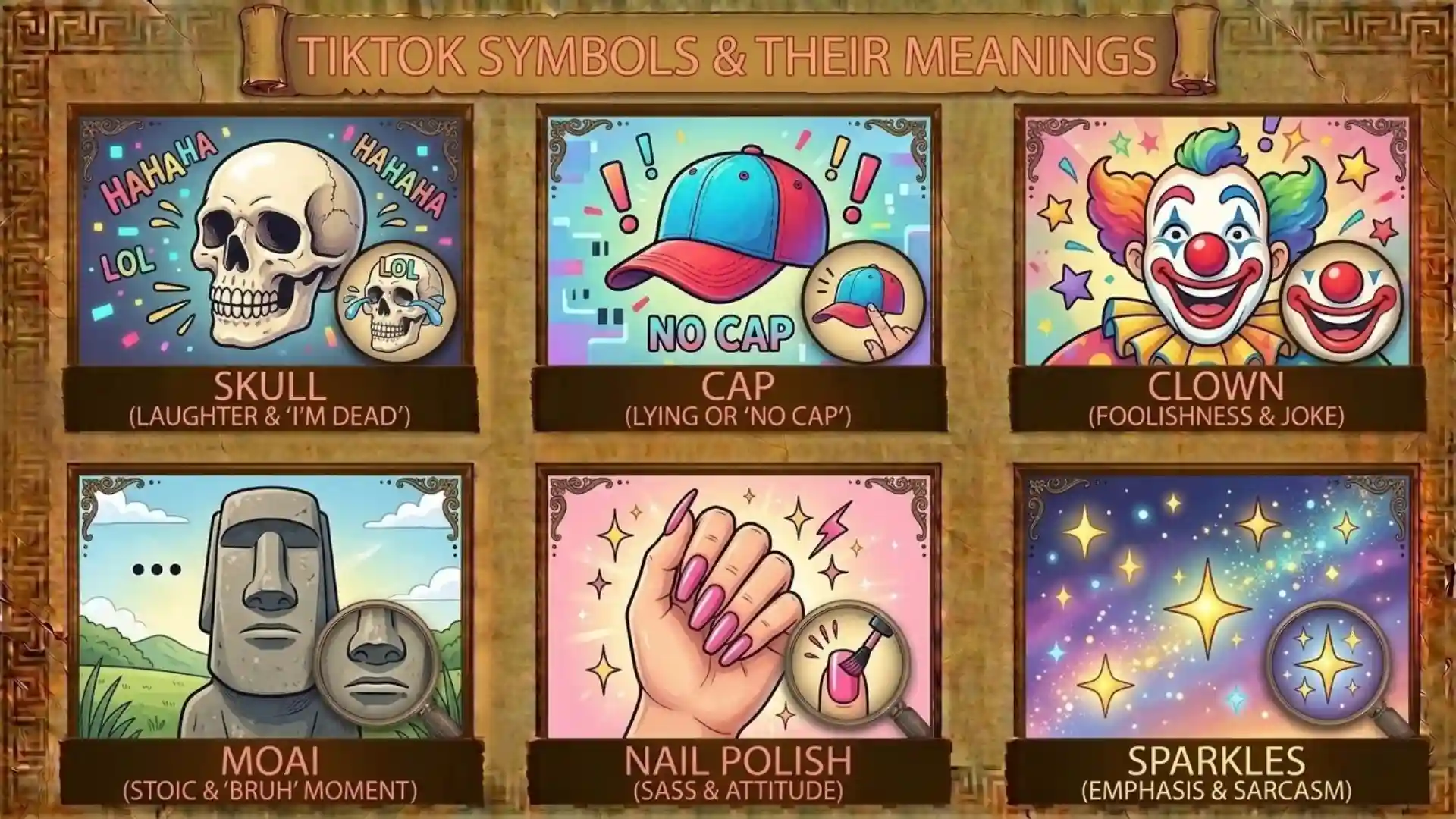
TikTok uses many symbols, icons, badges, buttons, and emojis to help users understand what they can do inside the app. You may see a heart beside a video, a comment bubble, a share arrow, a bookmark, a repost label, a blue verification check, a LIVE badge, a streak symbol, or an icon connected with sounds and messages.
But not every TikTok symbol means the same thing. Some are official interface icons, some are account badges, and others are ordinary emojis or slang created by users. The meaning can also depend on where you see the symbol.
For example, a heart-shaped button beside a video represents a Like action, while a heart emoji typed into a comment can simply express love, support, or appreciation.
This guide explains the most common TikTok symbols and their meanings, including video icons, profile symbols, comments, messaging, LIVE features, emojis, hashtags, mentions, and commonly confused symbols. TikTok regularly updates its interface, so the exact position or availability of an icon can differ by device, region, account, and app version.
What Do TikTok Symbols Mean? (Quick Answer)
TikTok symbols communicate different actions, statuses, and types of content.
Some of the most common include:
- Heart icon — Like a video
- Comment bubble — Open or interact with comments
- Share arrow — Open sharing options
- Bookmark/Favorite icon — Save content for later
- Repost — Re-share a video through TikTok’s repost feature
- Profile picture — Open a creator’s profile
- Plus sign — Follow an account when shown with a profile
- Sound icon — Open the sound or audio associated with a video
- Blue check — Official TikTok verification badge
- LIVE badge — Indicates a live broadcast
- Gift icon — Send a virtual Gift during supported LIVE experiences
- Streak badge — Indicates a messaging streak
- @ — Mention an account
- # — Hashtag
- Emoji — Meaning depends on the emoji and context
TikTok’s official documentation confirms that features such as Repost, verification, LIVE, Gifts, Streaks, stickers, and comments have specific functions that are separate from ordinary emojis or user-created slang.
TikTok Symbols at a Glance
| TikTok Symbol or Icon | Meaning | Where You May See It |
| ❤️ Heart | Like | Video screen |
| 💬 Comment bubble | View or add comments | Video screen |
| ↗️ Share | Open sharing options | Video screen |
| 🔖 Bookmark | Favorite or save content | Video screen |
| Repost | Re-share a video | Video/share area |
| Profile image | Open creator profile | Video screen |
| + | Follow an account | Profile/video screen |
| 🎵 Sound | View associated audio | Video screen |
| ✓ Blue check | Verified account | Profile/search |
| LIVE | Live broadcast | LIVE content |
| 🎁 Gift | Send a virtual Gift where available | LIVE |
| 🔥 Streak | Messaging streak | Direct messages |
| @ | Mention | Comments/messages |
| # | Hashtag | Captions/comments |
| 🔍 | Search | Search/discovery areas |
| Sticker icon | Open stickers | Direct messages |
| Emoji icon | Open emojis | Messaging/comment areas |
The exact appearance of some icons can change. TikTok may also test features with different groups of users, so two accounts can occasionally see slightly different controls.
What Is the Difference Between a TikTok Symbol, Icon, Badge, and Emoji?
People often use the word symbol to describe everything they see on TikTok. Technically, however, there are several different categories.
TikTok Icons
An icon is usually a visual control in the TikTok interface.
Examples include:
- Heart
- Comment bubble
- Share arrow
- Bookmark
- Search
- Sound
- Follow button
An icon generally tells you what an action or feature does.
TikTok Badges
A badge communicates information about an account, activity, or feature.
Examples include:
- Verification badge
- LIVE indicator
- Streak badge
- Other feature-specific indicators
A badge is more likely to communicate status than provide an ordinary action button.
TikTok Emojis
Emojis are characters people use in comments, captions, and messages.
For example:
- ❤️ can show affection
- 😂 can show laughter
- 🔥 can mean something is impressive
- 👀 can suggest interest or attention
Their meaning depends heavily on context.
TikTok Symbols and Slang
Some things people call “symbols” are actually abbreviations or slang.
Examples include:
- FYP
- POV
- W
- L
- P
- @
These should not be treated as official TikTok interface icons.
TikTok Video Icons and Their Meanings
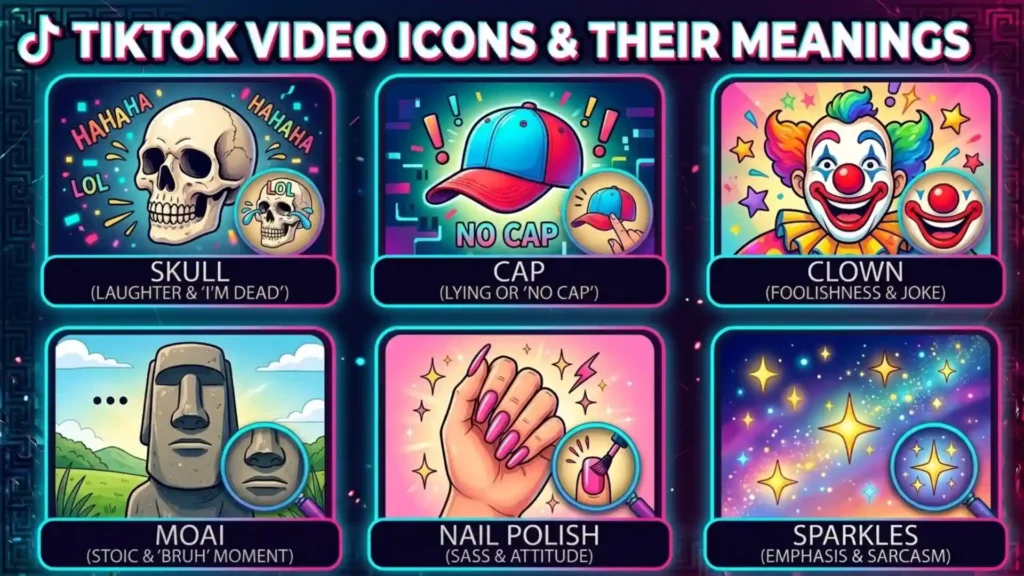
The video screen contains some of the symbols users interact with most often.
Heart Icon
The heart icon is the Like button.
When you tap it, you indicate that you like or appreciate the video. The visual state changes to show that the video has been liked.
TikTok’s own glossary describes liking as a way users can show appreciation for content.
The heart does not mean:
- You have saved the video
- You have reposted it
- You have sent it to another person
- The creator has followed you
Those are separate actions.
Comment Icon
The speech bubble or comment icon opens the video’s comment section.
Depending on the current TikTok version and the video, you may be able to:
- Read comments
- Like comments
- Reply
- Mention another account
- Post a comment
- Reply with a video
- Use other available comment features
The number displayed beside the comment icon generally indicates the number of comments associated with the video.
Bookmark or Favorite Icon
The bookmark-style icon is used for saving or favoriting content.
This is different from a Like.
A Like generally communicates appreciation, while saving or favoriting is useful when you want to return to content later.
Depending on the current version of TikTok, the exact appearance and location of saved content may differ.
Share Arrow
The share arrow opens TikTok’s available sharing options.
Depending on the content and your account, those options may include:
- Sending the video to a TikTok contact
- Sharing through another application
- Copying a link
- Reposting
- Other available sharing methods
Tapping the share icon does not necessarily mean that you have already shared the video. It generally opens the sharing options.
Repost Symbol
Repost is different from an ordinary share.
TikTok describes Repost as a feature that lets users share videos with friends and their community through the For You feed. Reposted videos can carry a repost label.
A useful way to remember the difference is:
Like = appreciation
Favorite = save for later
Repost = re-share through TikTok’s repost feature
Share = open available sharing options
Profile Picture and Plus Symbol
When you see a creator’s profile image next to a plus sign, the plus generally indicates an option to follow the account.
The profile image can usually be tapped to open the creator’s profile.
After following an account, the appearance of the follow control can change.
Sound Icon
TikTok is heavily centered around audio, so the sound icon is an important part of the interface.
Tapping the sound or audio area can take you to information about the sound used in a video.
Depending on the sound and current features, you may be able to:
- View other videos using the sound
- Save or favorite the sound
- Use the sound in your own video
- View the sound’s title or creator information
The exact options depend on TikTok’s current licensing, feature availability, and the particular sound.
Like vs Favorite vs Repost vs Share
These four actions are among the most commonly confused TikTok symbols.
| Action | Main Purpose | Same as a Like? |
| Like | Show appreciation | No |
| Favorite/Save | Keep content for later | No |
| Repost | Re-share through TikTok’s Repost feature | No |
| Share | Open available ways to distribute content | No |
What Does a Like Do?
A Like shows that you enjoyed or appreciated the content.
What Does Favorite Do?
Favorite or save functionality allows you to keep content for easier access later.
What Does Repost Do?
Repost allows you to re-share supported TikTok videos through TikTok’s own repost system. TikTok says reposted videos can appear in the For You feeds of friends and community members.
What Does Share Do?
Share opens a menu containing the sharing options available to you.
This distinction is useful because a person can like a video without saving it, save a video without reposting it, or open the share menu without completing a share.
TikTok Profile Symbols
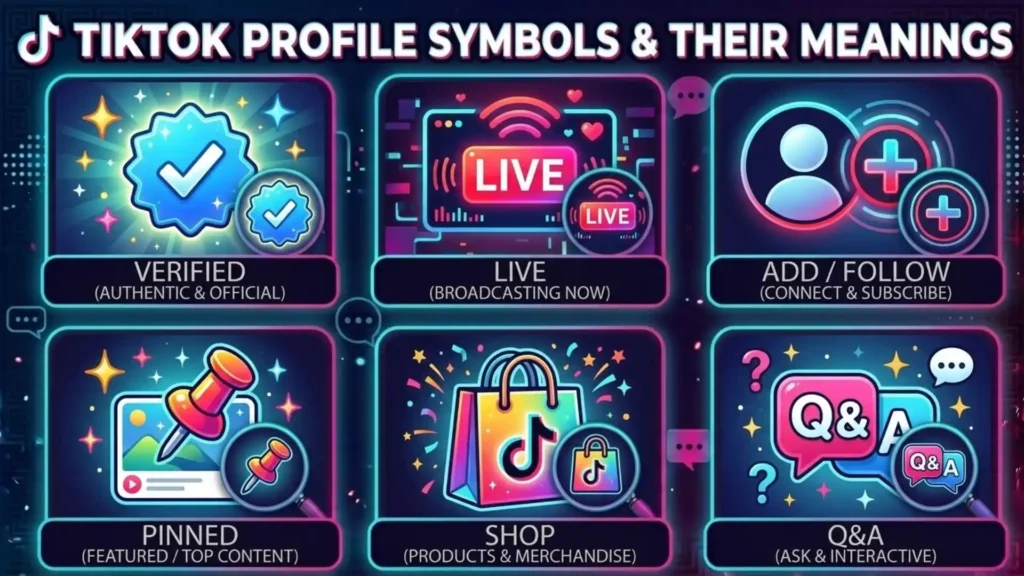
Profile pages contain symbols that communicate account status and available actions.
Blue Verification Check
The blue check is TikTok’s official verified badge.
TikTok explains that the verified badge confirms that the account belongs to the person, business, or entity it represents. The official badge appears next to the account’s username.
The verification badge does not automatically mean:
- The person is famous
- The account has the most followers
- TikTok endorses everything the account says
- Every account without a badge is fake
A blue check placed elsewhere in a profile, such as inside a username or bio, is not necessarily TikTok’s official verification badge.
Follow and Plus Symbol
The plus symbol next to a profile generally means you can follow that account.
Once you follow the account, the control may change.
Profile Links and Other Indicators
Some accounts may display additional buttons or indicators for:
- Websites
- Social profiles
- Playlists
- Creator features
- Business features
- LIVE-related activities
Not every account receives every feature. Availability can depend on account type, region, eligibility, and TikTok’s current product design.
TikTok Comment Symbols
Comments contain several symbols that can be confusing to new users.
Comment Icon
The comment icon opens the discussion under a video.
A comment can potentially receive:
- Likes
- Replies
- Mentions
- Other interactions
Comment controls can differ depending on creator settings.
Reply Symbol
A reply allows you to respond directly to a particular comment.
This helps create a conversation rather than placing every response at the same level.
@ Mention
The @ symbol is used to mention another TikTok account.
For example:
@username
A mention identifies another account within a comment or message.
This is different from a hashtag.
Hashtag Symbol
The # symbol introduces a hashtag.
For example:
#springfashion
A hashtag groups content around a topic or phrase.
A hashtag is not the same as a username mention:
@username = account mention
#topic = hashtag
Blue Comments
Some TikTok comments can appear as highlighted or blue search-related terms.
TikTok has explained that certain blue comments can be associated with search queries and can lead users toward related search results.
This means a blue comment is not necessarily just a normal comment that somebody manually colored blue.
However, TikTok can change how search-related comment features appear, so the exact presentation may vary.
Voice Comments
TikTok has also introduced voice-related comment functionality in some markets and experiences, allowing users to record voice comments instead of relying only on typed text.
Because newer features can be rolled out gradually, not every user should expect to see the same voice-comment controls.
TikTok Messaging Symbols
TikTok’s direct messaging system has its own collection of icons and indicators.
Streak Symbol
A TikTok Streak indicates continued messaging activity between users.
TikTok says a Streak badge can appear after people message each other for three consecutive days. Continued interaction can extend the streak, while a lack of interaction can cause it to fade.
The important point is that a Streak is connected to messaging activity, not video likes.
Emoji Button
The emoji button opens available emoji choices in supported messaging areas.
The meaning of an emoji depends on how the person uses it.
For example, ❤️ could communicate affection, while 😂 could communicate laughter.
Sticker Symbol
TikTok supports stickers in direct messages.
Stickers can be used as visual responses instead of ordinary text.
TikTok’s Help Center documents sticker functionality, including custom stickers and sticker sets in supported messaging experiences.
Custom Stickers
Some users can create or use custom stickers from TikTok content.
These are different from TikTok’s basic interface icons because their meaning is largely determined by the visual or social context in which someone sends them.
TikTok LIVE Symbols
TikTok LIVE uses additional symbols because live broadcasts have features that normal videos do not.
LIVE Badge
The LIVE label tells you that a creator is broadcasting live.
LIVE allows creators and viewers to interact in real time.
TikTok’s official documentation says LIVE can include features such as real-time interaction, multi-guest hosting, moderation, LIVE Gifts, and other tools depending on eligibility and location.
Gift Symbol
The gift icon is associated with LIVE Gifts where the feature is available.
Viewers can use Gifts as a way of interacting with and showing appreciation for creators during supported LIVE sessions. TikTok notes that Gifts and related features are subject to eligibility and availability requirements.
Coins
Coins are part of TikTok’s virtual-item system and can be used for supported features such as Gifts.
The availability and rules for Coins can vary by location and account.
LIVE Chat and Other Indicators
During LIVE broadcasts, you may see additional controls for:
- Comments
- Gifts
- Guests
- Moderation
- Community interaction
- LIVE activities
Not every LIVE stream has the same options.
TikTok Emoji Meanings
TikTok emojis should be treated separately from TikTok’s official interface symbols.
The same emoji can have different meanings depending on the conversation.
❤️ Heart Emoji
The heart emoji can express:
- Love
- Appreciation
- Support
- Affection
- Agreement
It is not automatically the same as pressing TikTok’s Like button.
😂 Laughing Emoji
This usually communicates laughter or amusement.
Someone may use it after a funny video, joke, comment, or unexpected event.
😭 Crying Emoji
The crying emoji can mean genuine sadness, but online it is also frequently used to express:
- Extreme laughter
- Emotional overwhelm
- Shock
- Frustration
- “I can’t handle this”
Context is essential.
💀 Skull Emoji
On social media, the skull can mean something like:
“That was so funny I’m dead.”
It can also communicate shock, embarrassment, disbelief, or absurdity.
It does not automatically refer to literal death.
👀 Eyes Emoji
The eyes emoji often suggests:
- Interest
- Attention
- Curiosity
- “I’m watching”
- “I noticed that”
Its meaning depends on the surrounding message.
🔥 Fire Emoji
The fire emoji commonly suggests:
- Excellent
- Attractive
- Exciting
- Impressive
- Trending or energetic
However, 🔥 is an ordinary emoji and should not automatically be interpreted as an official TikTok feature badge.
🫶 Heart Hands
The heart-hands emoji commonly communicates:
- Love
- Appreciation
- Support
- Affection
- Gratitude
Again, this is a user-generated emoji meaning rather than a special TikTok interface action.
Common TikTok Slang and Text Symbols
Some searchers use “TikTok symbols” when they actually mean TikTok terminology.
FYP
FYP stands for For You Page.
It refers to TikTok’s personalized recommendation feed.
It is often used in captions or comments, but using “#FYP” should not be treated as a guaranteed way to make a video viral.
POV
POV usually means point of view.
Creators use it to frame a video from a particular perspective or imagined situation.
For example:
POV: You finally finish your last exam.
W
W commonly means win or something positive.
A comment such as “W” can communicate approval or praise.
L
L commonly means loss or something viewed negatively.
The exact meaning depends on the conversation.
P
The letter P can have different meanings depending on the trend or community using it.
Unlike an official TikTok icon, it should not be given one universal definition.
What Does @ Mean on TikTok?
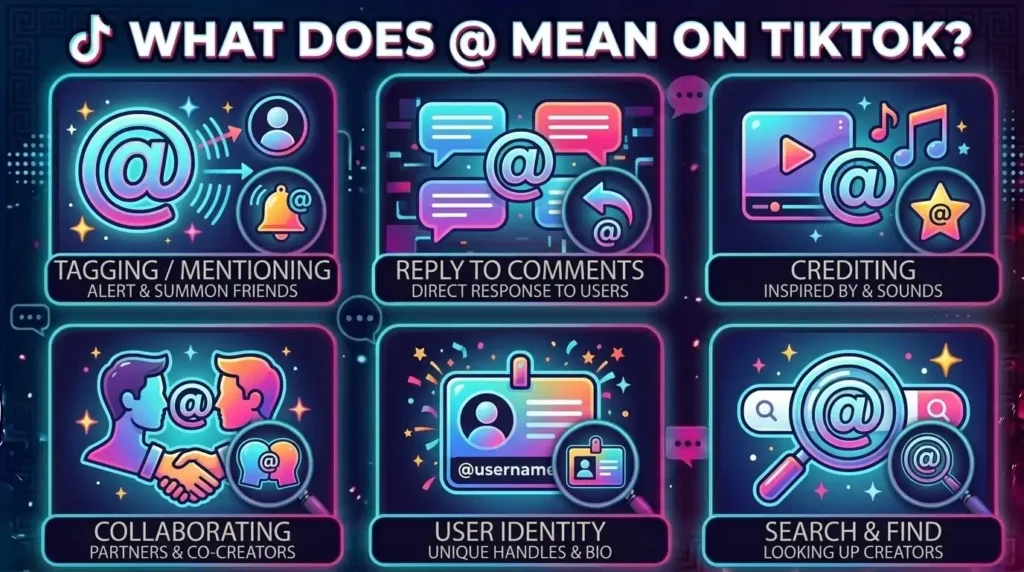
The @ symbol is mainly associated with usernames and mentions.
When you write:
@username
you are referring to a specific TikTok account.
This can be used in:
- Comments
- Captions
- Messages
- Other supported text fields
The @ symbol itself does not mean “follow.”
It identifies an account.
What Does # Mean on TikTok?
The # symbol introduces a hashtag.
For example:
#TravelTips
The hashtag can connect a post with a broader topic or search category.
Hashtags can help describe what a video is about, but there is no reliable basis for claiming that adding a particular number of hashtags automatically guarantees high reach.
TikTok’s recommendation system considers multiple categories of information, including user interactions and content information, rather than using a single hashtag formula.
What Does the TikTok Logo Mean?
The TikTok logo is based around a stylized musical-note design.
The music-note appearance fits TikTok’s strong connection with music, sounds, and short-form video.
This is different from the small symbols and controls inside the TikTok application.
So when someone says “TikTok symbol,” they could mean either:
- The TikTok logo
- An icon inside the app
- A profile badge
- An emoji
- A symbol used in comments
Understanding which one they mean is important.
What Does the Yellow Eye Mean on TikTok?
The yellow eye is an example of a symbol that should be treated carefully.
Users and third-party websites have reported different interpretations of certain eye-shaped indicators appearing in TikTok experiences. However, not every interpretation circulating online is confirmed by TikTok’s official documentation.
Therefore, it is better not to state that a yellow eye always means a specific activity unless TikTok has officially documented that exact indicator.
If you see an unfamiliar eye symbol:
- Check where it appears.
- Look at the surrounding feature.
- Check whether TikTok provides a label or explanation.
- Consider your app version and region.
- Check current TikTok Help Center information.
This approach is more reliable than assuming every unfamiliar icon has one permanent meaning.
Why Do TikTok Symbols Look Different?
TikTok’s interface can change over time.
Two users may not always see identical buttons in exactly the same locations.
App Version
A newer app version may introduce a redesigned button or move an existing feature.
Region
Some features are available only in certain countries or regions.
Account Type
Creators, businesses, and ordinary users may have access to different features.
Feature Testing
TikTok can test features with selected groups of users.
This means one person may see a feature that another person does not.
Creator Settings
A creator can control some interaction features on their content.
For example, comment-related options may differ between videos.
Why Can’t I See a TikTok Symbol?
If another person has an icon that you don’t see, several explanations are possible.
The feature may:
- Not be available in your country
- Require a particular age or eligibility level
- Be limited to certain accounts
- Be available only on certain types of content
- Be part of a temporary test
- Have been moved after an app update
- Depend on creator settings
- Require an updated application
TikTok’s documentation frequently notes that certain features have eligibility and availability requirements, particularly around LIVE and virtual Gifts.
So a missing icon does not necessarily mean that something is wrong with your account.
TikTok Symbols and the Recommendation System
Some TikTok symbols represent actions that can also become part of the information TikTok uses when recommending content.
TikTok explains that its recommendation systems can consider user interactions such as:
- Videos users like
- Videos users share
- Comments
- Content watched in full
- Content skipped
- Sounds
- Hashtags
- Content information
- User information
TikTok also says that user interactions, including time spent watching content, can be weighted more heavily for many users.
However, this does not mean that every icon has a publicly known numerical value.
For example, it would be misleading to claim:
“One share is exactly worth five likes.”
TikTok does not provide a simple public formula that supports such a statement.
The safer explanation is that interactions can provide signals used by recommendation systems, while the exact system is more complex.
TikTok Symbols by Where You See Them
One of the easiest ways to identify an unfamiliar symbol is to look at its location.
On a TikTok Video
Common symbols include:
- Heart
- Comment
- Share
- Bookmark
- Repost
- Profile
- Follow
- Sound
On a TikTok Profile
You may see:
- Verified badge
- Follow button
- Website or link
- Creator features
- Playlists or other account-specific tools
In Comments
You may see:
- Like
- Reply
- @ mention
- Search-related highlighted terms
- Other interaction controls
In Messages
You may see:
- Emoji
- Stickers
- GIF or visual options where supported
- Streak badge
- Voice controls where available
On TikTok LIVE
You may see:
- LIVE
- Gifts
- Coins
- Chat
- Guest-related controls
- Other live interaction features
This location-based approach is often the fastest way to understand an unfamiliar symbol.
TikTok Symbol Glossary
Icon: A visual interface element representing an action or feature.
Badge: A visual indicator that communicates status, verification, or another feature-related condition.
Emoji: A standardized character used to express an emotion, object, reaction, or idea.
Hashtag: A word or phrase preceded by the # symbol.
Mention: A reference to another account using the @ symbol.
Like: An interaction showing appreciation for a video.
Favorite/Save: A way to keep content for later access.
Repost: TikTok’s feature for resharing supported videos through the platform.
Streak: A record of continued messaging activity.
LIVE: A real-time TikTok broadcast.
Gift: A virtual item that viewers can send during supported TikTok experiences.
Frequently Asked Questions
What do the symbols on TikTok mean?
TikTok symbols can represent actions, account status, content information, or user reactions. Common examples include the heart for Like, comment bubble for comments, share arrow for sharing options, bookmark for saving, Repost for resharing, and blue check for verification.
What does the heart mean on TikTok?
The heart icon is the Like button. Tapping it indicates that you like or appreciate a video. It is different from saving, reposting, or sharing the video.
What does the bookmark mean on TikTok?
The bookmark-style icon is associated with saving or favoriting content. It is different from the Like button because its main purpose is to help you keep content for later access.
What does the arrow mean on TikTok?
The arrow is generally the Share button. It opens the sharing options available for that video, which can include sending, copying a link, reposting, or sharing through other supported methods.
What does Repost mean on TikTok?
Repost is TikTok’s feature for resharing a video with your friends and community. TikTok says reposted videos can appear in the For You feeds of friends and community members.
What does the blue check mean on TikTok?
The blue check is TikTok’s official verification badge. TikTok says it confirms that an account belongs to the person, business, or entity it represents.
What does the yellow eye mean on TikTok?
The meaning of some eye-shaped indicators reported by users is not always clearly documented by TikTok. Because unofficial explanations can become outdated, check the exact location of the symbol and current TikTok documentation before assuming what it means.
What does the flame mean on TikTok?
A fire or flame emoji commonly means something is exciting, impressive, attractive, or excellent. If a flame appears as part of a specific TikTok feature, however, its meaning may depend on that feature.
What does the Streak symbol mean on TikTok?
A Streak badge indicates continued messaging activity. TikTok says a Streak can begin after people message each other for three consecutive days and can continue as they keep interacting.
What does the LIVE symbol mean?
The LIVE label indicates that a creator is broadcasting in real time. TikTok LIVE can include features such as comments, Gifts, guests, and moderation tools, depending on availability.
What does the Gift icon mean on TikTok?
The Gift icon is associated with virtual Gifts in supported TikTok experiences, particularly LIVE. Viewers can use Gifts to interact with and show appreciation for creators where the feature is available.
What does @ mean on TikTok?
The @ symbol is used to identify or mention a TikTok account. It is normally followed by a username.
What does # mean on TikTok?
The # symbol introduces a hashtag. Hashtags describe topics and can connect posts with related content or searches.
Why do TikTok icons look different on my phone?
TikTok can change its interface, test features, and provide different functionality based on region, account, device, eligibility, or app version. As a result, users may not always see identical symbols.
Why can’t I see a TikTok symbol that someone else has?
The feature may not be available in your region or account, may require certain eligibility, may depend on the type of content, or may be part of a feature test. TikTok’s feature availability can vary.
Are TikTok emojis the same as TikTok icons?
No. An interface icon performs or represents a TikTok feature, while an emoji is generally used by users to express an emotion, reaction, object, or idea. The same visual shape can therefore have different meanings depending on where it appears.
What is the difference between Like, Favorite, Repost, and Share?
Like shows appreciation, Favorite or Save keeps content for later, Repost reshapes a supported video through TikTok’s repost system, and Share opens available methods for sending or distributing the content.
Conclusion
Understanding TikTok symbols meaning becomes much easier when you first identify where the symbol appears. Icons beside a video usually represent actions such as liking, commenting, saving, reposting, sharing, following, or opening a sound. Profile symbols can communicate account status, while badges such as the blue check have specific meanings.
TikTok also has separate symbols for messages, Streaks, stickers, comments, LIVE broadcasts, Gifts, hashtags, and mentions. Emojis such as ❤️, 🔥, 👀, 😭, and 💀 should be interpreted according to the conversation rather than treated as official TikTok buttons.
The most important distinction is that not every symbol has one universal meaning. An icon can have an official platform function, while the same character used in a comment may carry an entirely different social meaning.
Finally, TikTok changes its interface and features regularly. If a symbol looks different from the examples in a guide, consider your app version, region, account, device, and the location where the symbol appears. For current feature definitions, TikTok’s own Help Center is the most reliable reference.

Dylan Anderson is a writer who enjoys turning complex topics into simple, engaging content that readers can actually use. His work focuses on clear explanations, practical insights and storytelling that feels natural and relatable. He is also the fictional author of The Quiet Compass of Ashford and Where the Cedar Lantern Glows. When he’s away from his keyboard, Dylan enjoys hiking, reading, and discovering inspiration in everyday life. He believes great writing should be informative, easy to understand and enjoyable from beginning to end.
 Adam Sullivan