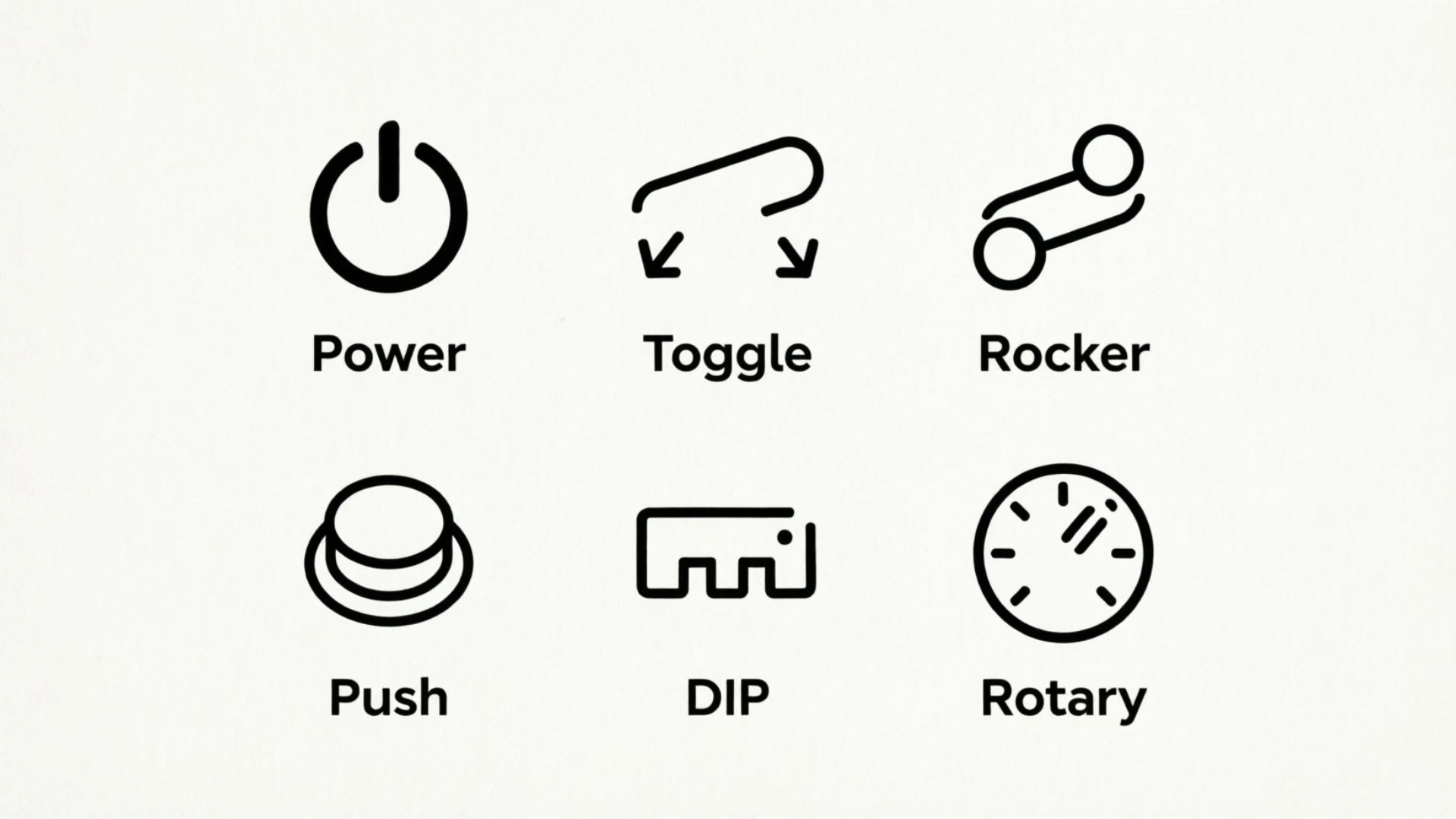
On/off switch symbols are everywhere, but their simple appearance can sometimes cause confusion. You may have seen a switch marked with a straight line and a circle, a power button with a broken circle, or another symbol on a computer, television, appliance, power strip, or electrical device.
So, which symbol means on, and which means off?
The simplest answer is: I or | means ON, while O means OFF. However, the familiar ⏻ power symbol and similar icons can represent standby or a power-toggle function rather than a complete electrical disconnect. The International Electrotechnical Commission (IEC) maintains standardized graphical symbols for equipment, including 5007 for ON, 5008 for OFF, 5009 for Stand-by, and 5010 for ON/OFF push-push controls.
This guide explains on/off switch symbols in simple terms. You will learn how to identify each symbol, how to read an I/O rocker switch, why these symbols are used instead of words, and why “off” does not always mean the same thing as unplugging a device.
Which Symbol Means On and Off? (Quick Answer)
If you only need the basic answer, remember this:
| Symbol | Basic Meaning | Common Example |
| I or | | ON | Rocker switches, power supplies, appliances |
| O | OFF | Power strips, appliances, electrical equipment |
| ⏻ | Standby or power control | Computers, TVs, monitors, electronics |
| ⏼ | ON/OFF push-push control | Electronic equipment with one power button |
| ☾ / moon icon | Sleep or reduced-power mode | Computers and some electronic devices |
The easiest memory trick is:
I = 1 = ON
O = 0 = OFF
The important qualification is that the exact behavior of a power button depends on the device. A symbol identifies the intended function of a control, but a modern electronic device may use that control for standby, software shutdown, wake-up, or another power-management function.
On/Off Switch Symbols at a Glance
Understanding the main symbols becomes much easier when you compare them side by side.
| Symbol | Meaning | What It Usually Tells You |
| I / | | ON | The controlled power function is on |
| O | OFF | The controlled power function is off |
| ⏻ | Standby/power control | Used for a power-related button; behavior varies by device |
| ⏼ | ON/OFF | A push-push control that switches between on and off states |
| ☾ | Sleep | A reduced-power or sleep state |
| Circular arrow | Restart | Restarts a device or system rather than simply turning it off |
The first two symbols are the ones people most often encounter on physical switches. The others are more common on modern electronics and digital controls.
The IEC catalog specifically identifies 5007 as ON, 5008 as OFF, 5009 as Stand-by, and 5010 as ON/OFF (push-push).
Is I or O On?
I is ON. O is OFF.
If you are looking at a typical rocker switch marked:
I — O
the I side represents the ON position, while the O side represents the OFF position.
For example, if you see this type of switch on a power strip:
- Press the I side → the switch turns ON.
- Press the O side → the switch turns OFF.
The standardized graphical symbol is more accurately understood as a vertical line rather than the ordinary alphabetic letter I. Likewise, the circular mark is a graphical symbol rather than simply the letter O.
This distinction matters because the symbols are designed to communicate a function across languages and product markets.
What Does the I or Vertical Line Symbol Mean?
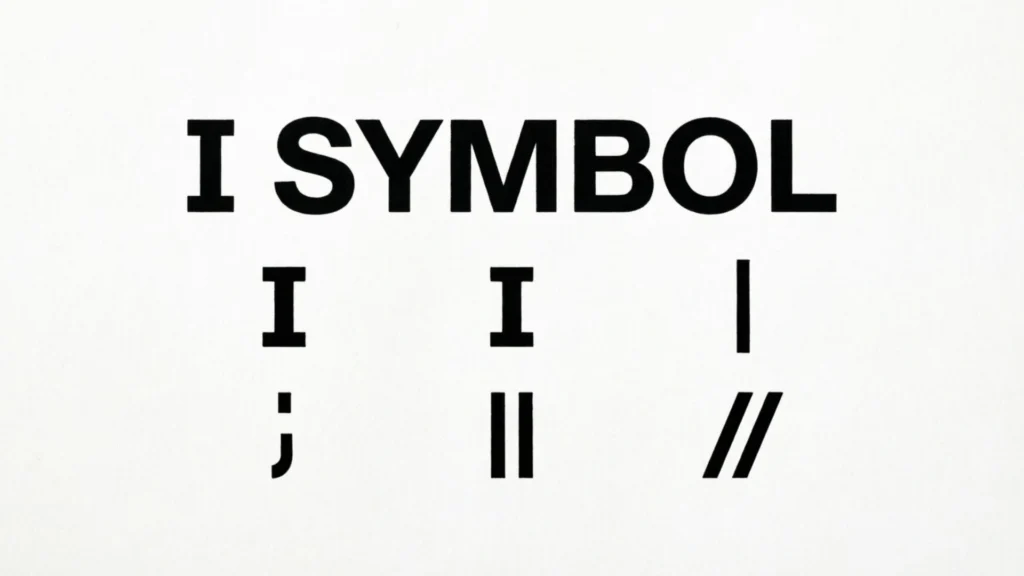
The I-like vertical line represents ON.
You can find it on many kinds of equipment, including:
- Desktop computer power supplies
- Power strips
- Extension boards
- Kitchen appliances
- Audio equipment
- Workshop tools
- Industrial machines
- Lamps and other electrical equipment
When a physical switch has an I marking, selecting that position generally means the relevant function or power supply is switched on.
The IEC identifies graphical symbol 5007 as “ON” (power).
Why Does I Mean On?
A common explanation connects the vertical line with the binary number 1, while the circle is associated with 0.
This makes the symbols easy to remember:
1 → active → ON
0 → inactive → OFF
That binary association is useful as a memory aid. However, it is better to think of the symbols as standardized graphical equipment markings rather than assuming that the formal IEC definition depends solely on binary logic.
Is It Actually the Letter I?
Not exactly.
What looks like a capital I is generally a simple vertical line. It may look like the letter I in everyday use, but the standardized symbol represents the ON function.
That is why you may see slightly different designs on different products while still recognizing the same basic meaning.
What Does the O Symbol Mean?
The O symbol means OFF.
It is commonly used on physical switches, especially rocker switches and equipment power controls.
For example, a switch may look like:
I | O
The I side indicates ON, and the O side indicates OFF.
The IEC identifies graphical symbol 5008 as “OFF” (power).
Why Does O Mean Off?
The circle is commonly remembered as 0, which is associated with an inactive or off state.
A simple way to remember it is:
O looks like 0 → OFF
This is especially useful when you are standing in front of an unfamiliar device and cannot immediately remember which side of the switch to press.
Does O Always Mean the Device Has No Electricity?
Not necessarily.
This is an important distinction.
The O marking tells you that the particular control is in its OFF position. It does not automatically prove that every component inside the equipment is electrically isolated.
A device may have:
- A battery
- Stored electrical charge
- Another power source
- Internal circuits that remain energized
- Multiple switches controlling different sections
For normal operation, O means OFF. For electrical repair or internal work, follow the manufacturer’s safety procedure and disconnect the appropriate power source.
What Does the ⏻ Power Symbol Mean?
The ⏻ symbol is one of the most recognizable power-related icons in modern electronics.
It consists of a vertical line entering a broken circle and is commonly seen on:
- Computers
- Monitors
- TVs
- Printers
- Audio equipment
- Gaming devices
- Other consumer electronics
However, it is important not to assume that pressing this button always performs a complete physical power disconnect.
The IEC identifies 5009 as “Stand-by.”
In everyday products, manufacturers may use a similar power icon for a button that moves a device between an active state and a lower-power state. The actual behavior depends on the equipment.
Why Does the Power Symbol Combine a Line and Circle?
The design visually combines the two familiar power states:
- The line resembles the ON symbol.
- The circle resembles the OFF symbol.
This creates an easily recognized power-related control.
Because modern devices can have several power states, however, the symbol itself does not tell you every detail about what happens electronically after you press it.
What Is the Difference Between ⏻ and ⏼?
These two symbols can look similar, but they are not identical.
The IEC catalog identifies:
- 5009 — Stand-by
- 5010 — ON/OFF (push-push)
A simplified comparison is:
| Symbol | IEC Reference | Basic Function |
| ⏻ | 5009 | Stand-by |
| ⏼ | 5010 | ON/OFF push-push |
This difference is particularly useful when you are comparing power controls on electronic equipment.
What Does ⏼ Mean?
The ⏼-style symbol represents an ON/OFF push-push control.
In simple terms, one press changes the control to one state, and another press changes it back.
It is therefore different from a dedicated physical I/O rocker switch where the two positions are visibly separated.
Why Do People Confuse ⏻ and ⏼?
The symbols are visually related because both combine a line and circular form.
Manufacturers may also use familiar power icons in ways that make them look interchangeable to ordinary users.
The safest approach is to consider the device’s manual, labels, and actual behavior, especially when the difference between standby and complete power-off matters.
What Is the Difference Between Off and Standby?
Off and standby are not necessarily the same thing.
This is one of the most important points to understand about modern power symbols.
What Does Off Mean?
An OFF control generally means the controlled function is switched off.
On a physical I/O power switch, the O position may disconnect the relevant supply from the device.
What Does Standby Mean?
Standby generally means the device is not operating normally but remains ready for a related action.
For example, a television in standby may still respond to a remote-control signal.
A printer may enter a low-power state while remaining ready to receive a print command.
A computer may use a low-power mode that allows it to wake quickly.
Off vs. Standby Comparison
| Feature | OFF | Standby |
| Normal operation | Stopped | Paused or reduced |
| Power consumption | Often very low or zero for the controlled circuit | Usually some power remains |
| Remote wake-up | Usually unavailable | Often available |
| Common example | Physical power switch | TV or monitor power button |
| Complete electrical isolation | Depends on the device | Generally no |
| Safe for internal repair? | Not automatically | No |
The key lesson is simple:
A device looking “off” does not necessarily mean it is electrically disconnected.
How to Read an I/O Rocker Switch
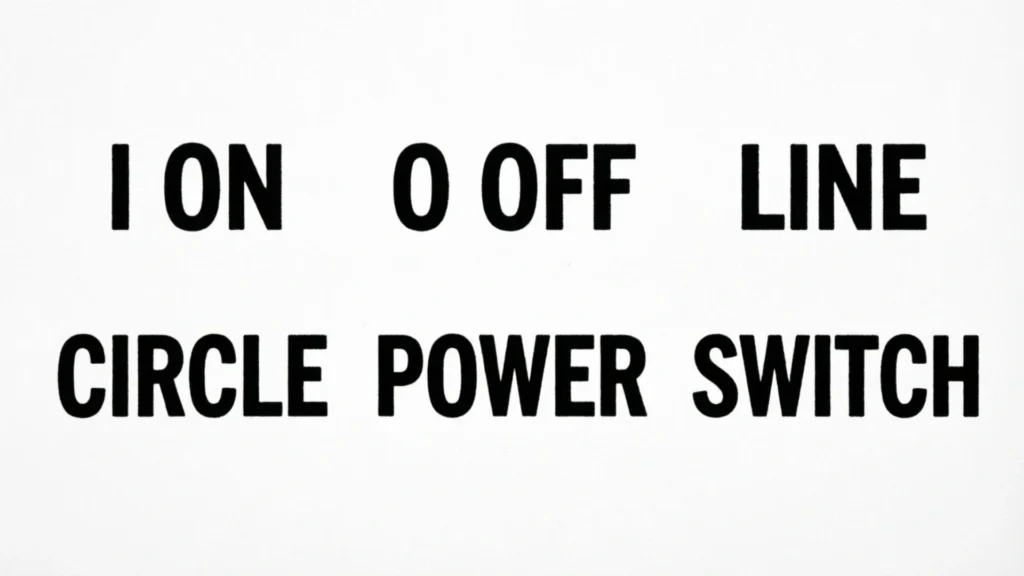
An I/O rocker switch is one of the easiest controls to understand once you know the symbols.
You may see a switch that looks like:
[ I ] [ O ]
or a single rocker with an I on one end and O on the other.
Step 1: Find the I Symbol
The side marked I or | represents ON.
Step 2: Find the O Symbol
The side marked O represents OFF.
Step 3: Check the Pressed Side
On many rocker switches, the side that is pressed down indicates the selected position.
For example:
I pressed down → ON
O pressed down → OFF
The exact mechanical design can vary, so use the markings and device instructions as the final guide.
Where Are I/O Rocker Switches Common?
You may find them on:
- Desktop PC power supplies
- Surge protectors
- Power strips
- Speakers
- Amplifiers
- Kitchen appliances
- Workshop equipment
- Industrial control panels
What Do On/Off Switch Symbols Mean on a Computer?
Computers often contain more than one power-related control, which can make the symbols confusing.
Desktop Computer Power Supply
A desktop computer’s power supply may have a physical rocker switch on the rear.
Usually:
I = ON
O = OFF
This switch controls the power supply’s connection to the mains.
Computer Power Button
The front power button may use the familiar ⏻ symbol.
Pressing it can initiate different actions depending on the computer’s operating system and settings, such as:
- Starting the computer
- Beginning a shutdown
- Entering a low-power state
- Waking the computer
Therefore, the front power button should not automatically be treated as identical to the physical I/O switch on the power supply.
What Do On/Off Symbols Mean on a TV?
Televisions commonly use a power symbol on the remote control or physical control panel.
When you press the power button, the TV may enter standby rather than completely disconnect from electricity.
This allows functions such as:
- Receiving remote-control commands
- Maintaining certain settings
- Performing background functions
- Waking quickly
If you need to completely remove power from the TV, the appropriate method depends on the manufacturer’s design. Unplugging it or using a suitable physical power disconnect may be different from pressing the normal power button.
What Do On/Off Symbols Mean on a Power Strip?
Power strips commonly use a physical I/O switch.
In a typical design:
I = power strip ON
O = power strip OFF
When the switch is off, the outlets controlled by that switch are generally disconnected from the supply path.
This is one reason physical power switches can be useful when several devices need to be controlled together.
For example, instead of turning off several connected devices separately, a properly designed switched power strip can control the connected outlets with one physical switch.
What Do On/Off Symbols Mean on Appliances?
Many household appliances use I and O symbols because the markings are compact and easy to understand.
You may find them on:
- Coffee makers
- Fans
- Blenders
- Mixers
- Heaters
- Air purifiers
- Kitchen equipment
- Small electrical tools
The basic interpretation remains:
I = ON
O = OFF
However, an appliance may have additional controls for heating, speed, timers, modes, or other functions.
The power symbol only tells you about the particular control where it appears.
Why Do Switches Use Symbols Instead of the Words On and Off?
One major advantage of symbols is that they can communicate information without depending on a particular language.
Imagine a device manufactured in one country and sold in dozens of markets.
If the switch were labeled only with a word, manufacturers would need different language versions.
A recognizable graphical symbol can be used across international markets.
Symbols Save Space
A small I or O can fit into an area where the full words ON and OFF would be too large.
This is useful on:
- Small switches
- Remote controls
- Control panels
- Compact appliances
- Electronic devices
Symbols Can Be Recognized Quickly
A user may recognize a familiar power symbol almost instantly.
That can be especially useful when operating equipment with many controls.
Standardization Improves Consistency
The IEC maintains a catalog of graphical symbols for equipment, helping manufacturers use established conventions for functions such as ON, OFF, standby, and other electrical controls.
Why Are I and O Sometimes Called Letters?
People commonly call the symbols I and O because they resemble those letters.
In practice, the standardized marks are better understood as graphical symbols:
- A vertical line for ON
- A circle for OFF
They are visually similar to the numbers 1 and 0, which also makes the binary memory trick easy.
So if someone asks, “Is that an I or a 1?” the most accurate response is that the equipment marking is a standardized graphical symbol that may look like a vertical line, I, or 1.
Are On/Off Switch Symbols International Standards?
Yes. The IEC maintains a standardized collection of graphical symbols used on equipment.
The current IEC catalog includes:
- 5007 — ON (power)
- 5008 — OFF (power)
- 5009 — Stand-by
- 5010 — ON/OFF (push-push)
This standardization is one reason similar power symbols appear on equipment made for different countries.
However, standardized symbols should not be interpreted as a guarantee that every manufacturer’s device behaves in exactly the same way. Product design and operating systems can change how a control behaves.
Common On/Off Switch Symbols You Should Know
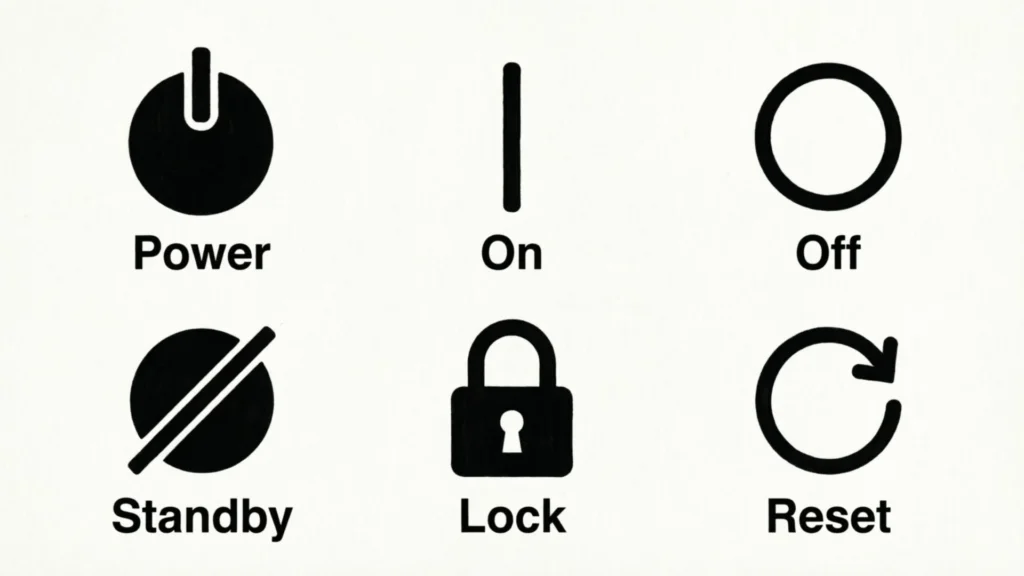
Beyond I, O, and the familiar power icon, you may encounter several other power-related symbols.
I or Vertical Line
Meaning: ON
This indicates the ON position or power-connected state of the controlled function.
O or Circle
Meaning: OFF
This indicates the OFF position or power-disconnected state of the controlled function.
⏻ Power/Standby Symbol
Meaning: Standby or power-related control
The IEC associates the related symbol with standby, although consumer devices may use the familiar icon as a general power button.
⏼ ON/OFF Symbol
Meaning: ON/OFF push-push control
This represents a control that switches between ON and OFF states.
Sleep Symbol
A crescent moon or similar sleep icon may indicate a reduced-power or sleep mode on some electronic devices.
Unlike the basic I/O symbols, sleep icons are especially common in software interfaces and computers.
Restart Symbol
A circular arrow generally represents restart, not simply OFF.
Restarting means a system shuts down or resets and then starts again.
That is different from pressing a normal power-off control.
Does O Mean Unplugged?
No, not necessarily.
O means the relevant switch or controlled function is in the OFF position.
That is not automatically identical to physically removing the plug from an outlet.
Consider a device with:
- A battery
- Multiple power circuits
- Stored electrical energy
- An internal power supply
- A separate standby circuit
The O position may turn off one function while other parts remain connected or energized.
For everyday use, simply treat O as the OFF position.
For repair or internal electrical work, use the correct isolation procedure instead of relying on the symbol alone.
Can a Device Still Use Electricity When It Looks Off?
Yes.
Many modern electronic devices use standby power.
Examples can include:
- Televisions
- Computers
- Monitors
- Printers
- Game consoles
- Smart home devices
A device can appear inactive while still using a small amount of electricity for functions such as receiving signals, maintaining settings, monitoring inputs, or waiting for a wake command.
This is why standby should not automatically be treated as complete power disconnection.
Common Mistakes People Make With On/Off Switch Symbols
Mistake 1: Thinking O Means On
The correct basic rule is:
O = OFF
If you remember the O as zero, it becomes easier to recall.
Mistake 2: Thinking I Is the Letter “I” for Input
Some people assume I/O means input/output because those letters are commonly used elsewhere.
For a standard power switch, however, the symbols indicate the ON and OFF positions.
Do not confuse a power switch’s I/O markings with an unrelated input/output label.
Mistake 3: Assuming Every Power Button Completely Cuts Electricity
A modern power button may initiate standby or software-controlled behavior.
A physical power disconnect and an electronic power button are not always equivalent.
Mistake 4: Treating Standby as Complete Off
Standby can leave a device partially powered.
If you need complete isolation for maintenance, follow the appropriate shutdown and power-disconnection procedure.
Mistake 5: Ignoring the Device’s Manual
If a symbol is unfamiliar or the equipment is safety-sensitive, the manufacturer’s instructions should take priority.
How to Remember On/Off Switch Symbols Easily
You do not need to memorize technical standards to remember the basic symbols.
Use this simple rule:
I = 1 = ON
The vertical line resembles 1.
Think:
1 → active → ON
O = 0 = OFF
The circle resembles 0.
Think:
0 → inactive → OFF
⏻ = Power Control
The combined symbol tells you that the button is related to changing the device’s power state.
If you need to know whether it means standby, shutdown, or another function, check the device’s documentation.
Why the Difference Matters for Safety
Understanding power symbols is useful for everyday operation, but symbols should not be treated as a substitute for electrical safety procedures.
A device can contain stored energy even after it has been switched off.
For example, some equipment contains capacitors that can retain electrical energy after disconnection. Batteries can also continue to supply power.
Therefore:
- Do not open electrical equipment simply because the switch says O.
- Disconnect the appropriate power source before servicing equipment.
- Follow the manufacturer’s repair and safety instructions.
- Use qualified professional assistance for electrical work when necessary.
The important distinction is:
OFF describes the switch state; it does not automatically guarantee that every part of the equipment is electrically safe to touch.
Frequently Asked Questions About On/Off Switch Symbols
Which symbol means ON, I or O?
I or the vertical line means ON. O means OFF.
On a typical I/O rocker switch, press the I side to turn the controlled function on and the O side to turn it off.
Is I or 1 the ON symbol?
The standardized graphical marking is a vertical line, which often looks like I or 1. It represents the ON function.
Does O mean OFF on a power switch?
Yes. The O symbol is the standard OFF marking for power-related equipment controls. The IEC identifies symbol 5008 as OFF (power).
What does the circle with a line mean on a power button?
The familiar ⏻ symbol is a power-related symbol commonly associated with standby. In actual consumer electronics, the button’s behavior can vary, so it may control standby, wake-up, shutdown, or another power state.
What is the difference between ⏻ and ⏼?
The IEC catalog identifies 5009 as Stand-by and 5010 as ON/OFF (push-push).
In simple terms, ⏻ is associated with standby, while ⏼ represents an ON/OFF push-push control.
Which side of an I/O rocker switch is on?
The side marked I or | is ON. The side marked O is OFF.
On many rocker switches, the selected side is the one pressed down.
Why do switches use I and O instead of ON and OFF?
Symbols are compact, easy to recognize, and can be used across different languages. International standardization also makes common equipment controls more consistent.
Does OFF mean the device is completely disconnected from electricity?
Not always.
The O position means the relevant switch or function is OFF, but the device may have another power path, a battery, stored energy, or another circuit.
Is standby the same as off?
No.
Standby generally means the device is in a reduced-power state while remaining ready for some function. A device in standby may still consume electricity.
What does I/O mean on a rocker switch?
On a standard power switch, I means ON and O means OFF. The markings should not automatically be interpreted as input/output.
What symbol means sleep mode?
A crescent moon is commonly used to represent sleep or a reduced-power state on computers and electronic interfaces. The exact icon can vary by device.
What symbol means restart?
A circular arrow is commonly used for restart or reboot. Restart is different from simply turning a device off.
Are on/off switch symbols standardized?
Many common equipment symbols are standardized internationally through IEC graphical-symbol conventions. The IEC catalog includes separate entries for ON, OFF, Stand-by, and ON/OFF controls.
Conclusion
Understanding on/off switch symbols makes it easier to use electrical and electronic devices safely and confidently. The basic rule is simple: I or the vertical line means ON, while O means OFF. Other power-related symbols, such as ⏻, may represent standby or different power-control functions depending on the device. By knowing the difference between ON, OFF, standby, and other common symbols, you can quickly understand switches on computers, TVs, appliances, power strips, and many other devices.

Dylan Anderson is a writer who enjoys turning complex topics into simple, engaging content that readers can actually use. His work focuses on clear explanations, practical insights and storytelling that feels natural and relatable. He is also the fictional author of The Quiet Compass of Ashford and Where the Cedar Lantern Glows. When he’s away from his keyboard, Dylan enjoys hiking, reading, and discovering inspiration in everyday life. He believes great writing should be informative, easy to understand and enjoyable from beginning to end.
 Adam Sullivan